


Your dining table might be where you enjoy breakfast, answer emails, and help the kids with homework—all in the same day.
For many homes, the dining room has become more than a place to eat. It's also a flexible workspace. But while a dining chair looks great beside your table, that doesn't necessarily mean it's comfortable for computer work.
If you're considering dining chairs for working from home, the trick is finding seating that balances comfort, support, and everyday style.
Here's what to look for before turning your dining table into a home office.
1. Start With the Right Seat Height
A beautiful chair won't help much if your feet dangle above the floor or your knees feel cramped under the table.
Most standard dining tables are approximately 30 inches high, while dining chair seats commonly measure around 18 inches. A seat height between 17 and 19 inches can be a useful starting point, but the best fit depends on your body size and table dimensions.
When evaluating a dining chair, sit down and check three things:
-
Your feet should rest flat on the floor, with your knees at a comfortable angle.
-
Your elbows should reach the tabletop without lifting your shoulders.
-
Your legs should have enough room to shift position without hitting the table.
As a starting point, look for approximately 10 to 12 inches between the chair seat and the underside of the table, then check your actual fit.
Even a 19.25-inch seat height can feel different depending on your legs and body proportions.
If your feet dangle, the chair may be too high. A footrest can help, but if the table is also too tall for comfortable typing, you may need a different workstation arrangement.
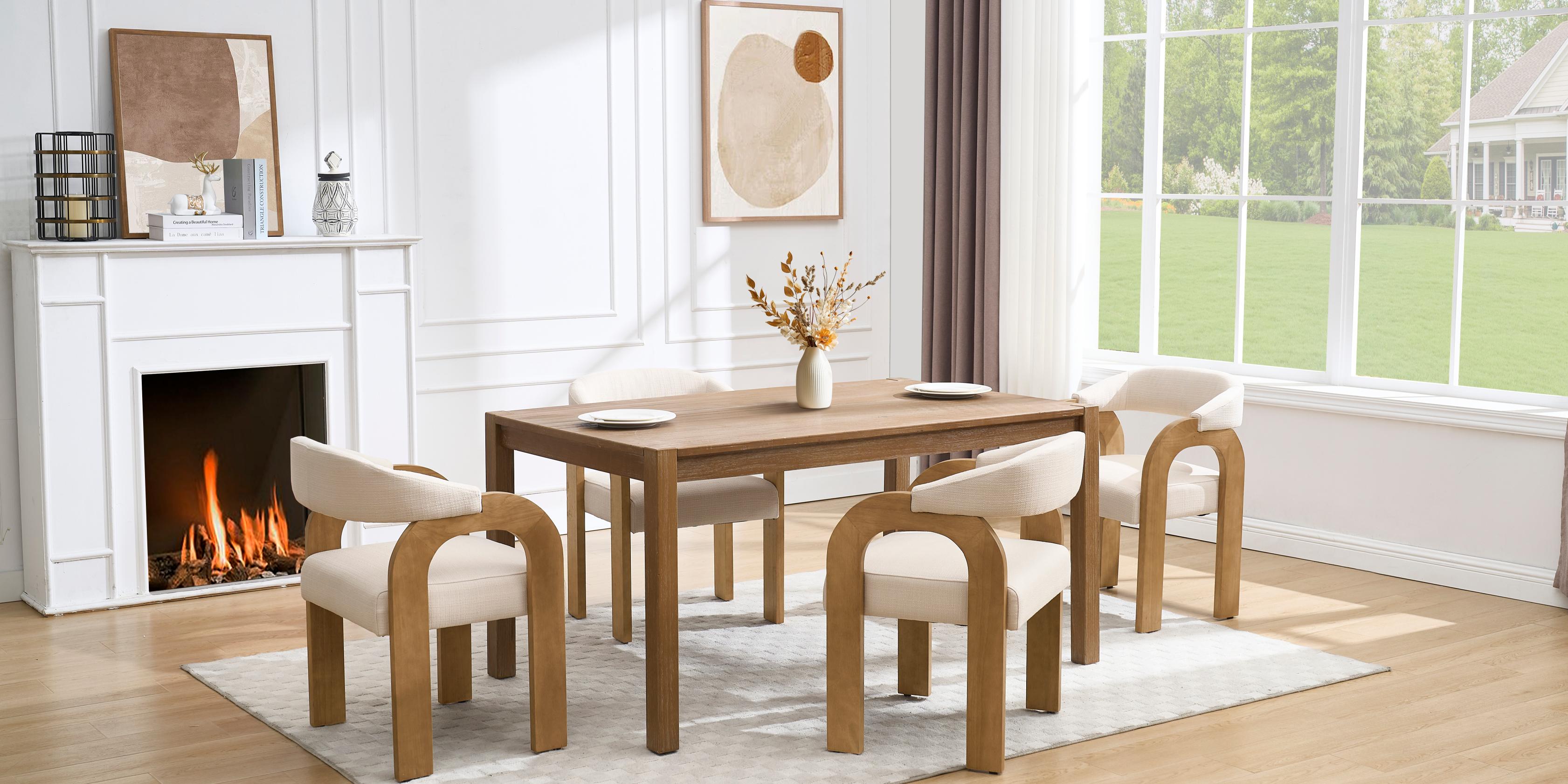
2. Look Beyond the Cushion: Back Support Matters
Not all upholstered dining room chairs provide the same support.
A soft cushion feels wonderful at first, but when you're sitting through an hour-long meeting, the shape and structure of the backrest become just as important.
Look for a dining chair with a curved back that supports your lower spine. A supportive mid-back design may help you maintain a comfortable posture without constantly leaning forward.
The Dayalane Hank Upholstered Dining Chair, for example, features a padded high back, a relaxed 105-degree backrest angle, and cushioned armrests.
Its upholstered form makes it a stylish choice for shared-use spaces, although its fixed height and backrest are less adaptable than those of a dedicated office chair.
One simple test: Sit with your back against the chair. If you have to lean forward to reach your computer, the table, chair depth, or screen position may need adjusting.
3. Choose a Cushion That Stays Comfortable
Fabric and padding make a noticeable difference when you spend more time at the dining table.
High-density foam is often a good choice because it can provide supportive cushioning and resist compression better than some softer fills. However, actual comfort and longevity depend on foam quality, thickness, and construction.
Memory foam cushions are another option, especially if you prefer pressure-relieving seating. Just remember that adding a cushion raises your seat height.
The Dayalane Payson Modern Upholstered Dining Chairs feature high-density foam padding, curved upholstered backrests, and solid rubberwood frames with non-slip foot pads.
Available upholstery options include linen and velvet, allowing these chairs to complement different dining room styles.
Linen creates a relaxed, breathable feel, while velvet adds richer texture and a touch of luxury. Neither material automatically provides better posture support—the cushion and chair structure matter more.
Avoid seats that are so deep that you cannot rest against the back without pressure behind your knees.
4. Consider Armrests, Swivel Bases, and Mobility
When you're working from home, small movements happen constantly. You turn toward your computer, reach for a notebook, or move away from the table to answer a call.
That's why flexibility matters.
Dining chairs with arms can provide additional places to rest your forearms. Properly positioned arm support may also help reduce tension in your neck and shoulders.
However, armrests that sit too high can force your shoulders upward. Check that they don't interfere with the tabletop.
For greater mobility, the Dayalane Troy Modern Rolling Dining Chair offers a barrel-shaped back, integrated arms, a 360-degree swivel, and rolling casters.
Its high-density foam seat and linen or velvet upholstery options make it an interesting choice for a dining room that occasionally doubles as a workspace.
If you prefer a chair without wheels, the Dayalane Winnie Chenille Swivel Chair features a 360-degree swivel pedestal base and a gently curved, shell-inspired backrest.
Both designs make turning easier, but remember that swivel dining chairs generally lack the height, tilt, and lumbar adjustments available on ergonomic office chairs.

5. Pay Attention to Your Working Posture
Even comfortable dining chairs can cause discomfort when your setup doesn't fit your body.
Working at a dining table often means looking down at a laptop for long periods. Over time, this position may contribute to neck discomfort, tired shoulders, or back pain.
Try these simple ideas to maintain a better working position:
-
Keep your feet supported and avoid crossing your legs for long periods.
-
Position your elbows close to your body and relax your shoulders.
-
Use a laptop stand and separate keyboard when possible.
-
Adjust your screen so you don't constantly tilt your head downward.
-
Stand, stretch, and change position regularly.
According to OSHA's computer workstation guidance, neutral body positioning and frequent movement help reduce unnecessary physical strain.
A small workplace study conducted in 2011 also reported a 54% reduction in upper-back and neck pain among workers using sit-stand devices. Published through the CDC in 2012, the findings highlight the potential benefit of changing working positions, although results aren't guaranteed for every person.
The lesson? Even the best chair doesn't eliminate the need to move.
6. Can a Dining Chair Really Replace an Office Chair?
For occasional computer work, a well-fitted upholstered dining chair may be perfectly practical.
If you work at your dining table for an hour or two, choosing a supportive backrest, suitable seat height, and comfortable cushion can make the experience more pleasant.
But if you're sitting for long hours every day, a dedicated adjustable office chair is generally the better choice.
Office chairs are designed to accommodate different body types and working positions. Many allow you to adjust seat height, backrest tilt, and arm support—features that most dining room chairs don't offer.
Think about how your space is used throughout the day. If the dining table is your occasional desk, a versatile dining chair makes sense. If it's your permanent workspace, prioritize an ergonomic setup.
Final Thoughts: Make Your Dining Room Work for You
The best dining chairs for working from home aren't necessarily the softest or most expensive. They're the ones that fit your body, support your daily routine, and still look beautiful around your dining table.
Before making your choice, consider seat height, cushion quality, backrest shape, and how easily you can move.
Whether you prefer a classic linen dining chair, a plush velvet design, or a practical swivel seat, there's no reason your dining room can't feel welcoming after the workday ends.
Explore Dayalane's Modern Upholstered Dining Chairs to find seating styles that bring comfort and flexibility to your everyday home.